A lot can change on a website without its main purpose changing at all.
When Quick Service Search began, the goal was straightforward: make it easier to find a useful starting point when someone needs a service. Since then, we’ve kept adding practical information, new ways to explore listings, and tools that help people prepare before they reach out to a provider.
Recently, the work has gone beyond adding another item to the service directory. We’ve launched interactive tools, reshaped pages, improved our blog experience, and spent time on small details that are easy to overlook until they get in the way.
This is Update v0.4, a look at what’s changed—starting with the biggest additions and working down to the refinements behind the scenes.
The biggest addition: a new HVAC Maintenance Checklist & Seasonal Planner
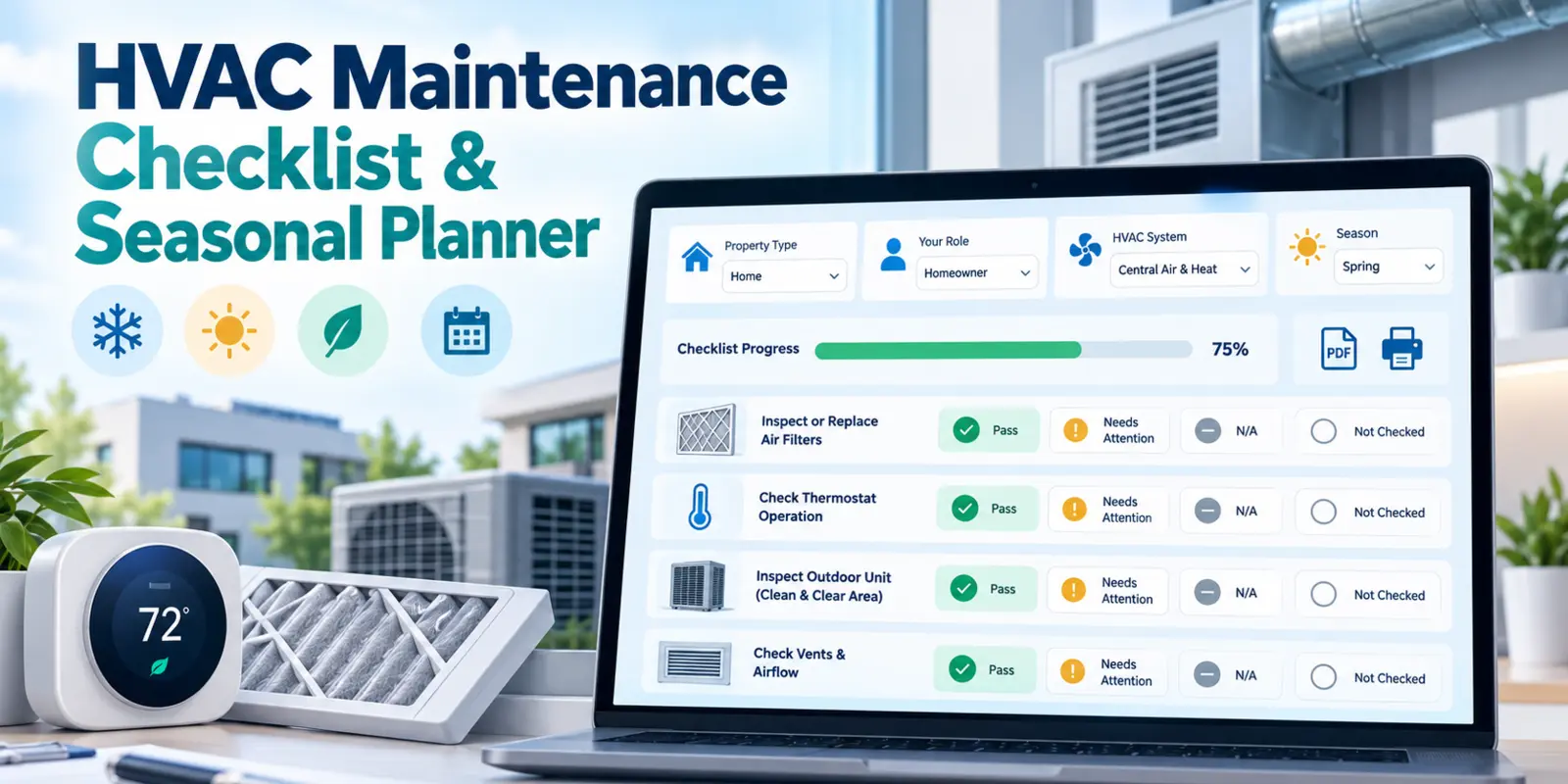
Our newest free tool is the HVAC Maintenance Checklist & Seasonal Planner, created for homeowners, business owners, employees, and HVAC technicians in the United States.
Instead of downloading the same generic checklist as everyone else, you answer four questions about your role, property, HVAC system, and season. The planner then creates a tailored list of observations and maintenance-related documentation prompts.
You can track tasks as Pass, Needs Attention, N/A, or Not Checked, add notes, open detailed How to Check explanations, and watch your progress update. The tool also provides optional inspector and equipment details, a findings summary, and three printable options: Blank Checklist, Completed Checklist, or Both. You can even print a blank checklist immediately after setup without completing the interactive inspection.
It’s meant to help organize observations—not replace a qualified technician or certify equipment safety.
We’ve written a separate, in-depth article covering the questionnaire, progress tracking, notes, privacy, safety, and every print option: Read the complete HVAC Checklist & Seasonal Planner guide.
Or go directly to the tool: Create your HVAC checklist.
Two practical tools in one easier-to-find place
The HVAC planner joins our earlier Home & Business Emergency Decision Assistant.
The Emergency Assistant helps visitors organize information about certain property problems, understand general next steps, and create results that can be copied, printed, or saved through a browser. It isn’t an emergency response service, and an on-screen result should never delay leaving a dangerous area or seeking qualified help.
We’ve brought both tools together on the Tools page and made them easier to discover from the homepage and navigation. Each card now has a clear action button and a notice explaining that the guidance and relevant service connections are currently U.S.-focused.
You can also read the Emergency Decision Assistant guide for a closer look at that tool’s purpose.
A more useful Services page and clearer country coverage
Finding a service isn’t just about choosing a category. It also helps to know where the option is listed, whether a regional connection applies, and what happens next.
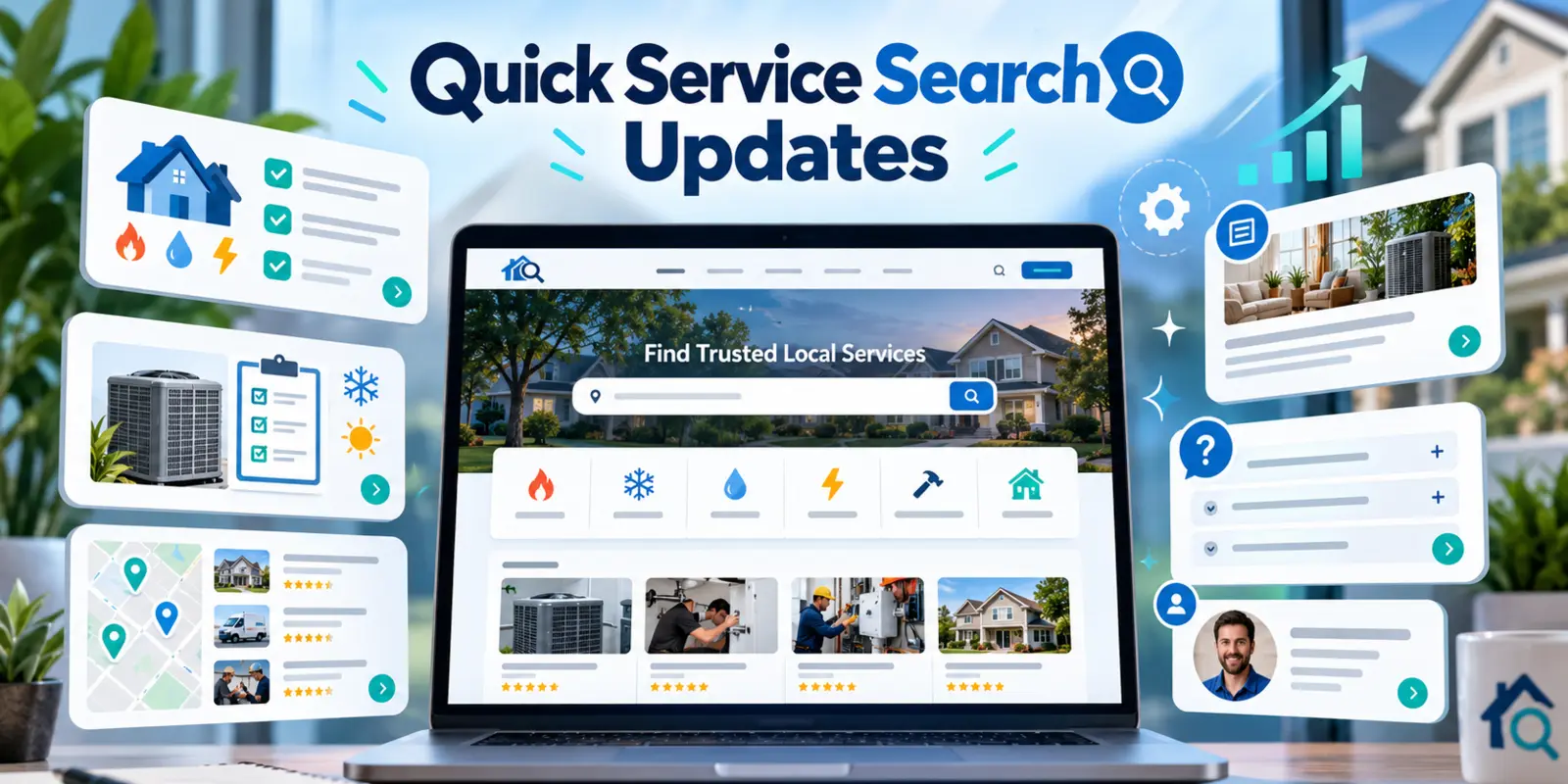
The Services directory has evolved to support U.S. home and property categories alongside selected international travel, connectivity, and business-related listings. We’ve continued refining its country and service filters, service cards, and coverage lists so the page is easier to scan.
Recent changes include:
- A more consistent filter toolbar across desktop, tablet, and mobile screen sizes.
- Clearer positioning of Country / Region, Category / Service, Reset Filters, and Cards / List view controls.
- Compact service-by-service location coverage sections, with expandable details where applicable.
- Coverage counts and U.S. state or ZIP-code information where the service catalog supports them.
- More straightforward access to relevant service connections without assuming that a provider serves every location.
The available services still vary by region and provider, so it’s always worth confirming details directly before booking or calling.
A more connected blog and a dedicated author page
The Quick Service Search blog has grown from an initial collection of home-service tips into a mix of seasonal guides, practical advice, tool walkthroughs, and website updates.
For example, our newest frozen-pipe detection and prevention guide helps readers recognize warning signs and prepare for winter plumbing problems. That kind of everyday guidance belongs alongside our newer interactive planning tools.
We also wanted moving between articles to feel easier. On the homepage and across other sections, Latest Blog Posts cards now have a more consistent look. The Related Articles cards at the end of individual articles use the same idea: you can click anywhere on the card, with a subtle hover effect so the interaction is clear.
We’ve also introduced a dedicated Tech Sector 7 author profile. Blog bylines link to it, and the profile brings together the author’s articles in one place.
Website update stories now have numbered versions, making it easier to follow how the platform has changed over time without changing their original article links.
About, FAQs, and explanations that reflect the site today
As our service categories and free tools expanded, some of the older website descriptions no longer told the full story.
We updated the About page to explain more clearly why Quick Service Search started, what we’re trying to make easier, and the direction we’re working toward.
The FAQ page received new answers covering international listings, newer service categories, and our interactive tools. We also simplified the visual organization of the questions by removing repeated numbers and refreshing the accordion cards.
Those aren’t headline-grabbing updates, but they help visitors understand what the website does—and what it doesn’t do—before relying on a listing or tool.
Smaller design and usability improvements
We spent time polishing details that affect the experience from page to page:
- Better spacing and alignment for homepage Tools buttons and their U.S.-availability notices.
- Improved mobile handling for Services filters and the Cards / List controls.
- More modern questionnaire, status fields, help tabs, and progress indicators in the HVAC planner.
- Cleaner expandable How to Check guidance, with a visible help control beside inspection status.
- Unified article-card styling and corrected click overlays so links stay inside their own cards.
- Consistent author links, page headings, and internal navigation between relevant tools and articles.
Each of these changes is small on its own. Together, they make it easier to understand where you are, what you can do next, and how to move through the website without unnecessary distractions.
Behind-the-scenes improvements
Not every useful change is visible on a page. We’ve also worked on the parts of the site that help maintain consistency and make content easier to find.
Recent work includes updated search titles and descriptions, more consistent internal links, refreshed tool information in search-engine structured data, newest-first RSS ordering, and cleaner shared navigation styling.
We reviewed and updated the Privacy Policy and Terms of Service to describe the newer tools and service connections, including the difference between data saved in a browser and details that remain only in the current page session.
Automated checks now cover the HVAC checklist’s 240 possible setup combinations, relevant safety and privacy rules, and a range of website integration details. Testing is part of keeping a growing project manageable, not a replacement for checking how the site feels on a real phone or desktop.
What we’re working toward
Quick Service Search is still growing. We’ll keep exploring ways to make service information easier to navigate, add practical guides, improve country-specific coverage, and build tools that help visitors organize a problem before the next step.
If you’re new to the site, a good place to begin is the Services directory or our free Tools collection.
If you came specifically for the new planner, you can open the HVAC Maintenance Checklist & Seasonal Planner or read its complete step-by-step guide.
The larger additions may get the attention, but we care just as much about the smaller improvements that make the site easier to use every day.
Share this article
Know someone who might find this useful? Pass it along.